Clause 01CSV
Export TikTok Comments to CSV in One Tap
Tap Export CSV and the comments you've loaded download as a CSV file. Use it for notes, reports, client updates or your own analysis.
Use this free online TikTok comment viewer to read the comments on any public video in your browser. Paste a video link, search by keyword or username, sort by likes, replies or time, then export the TikTok comments you've loaded as a CSV file. Replies are included in the export. No login, no app, no extension.
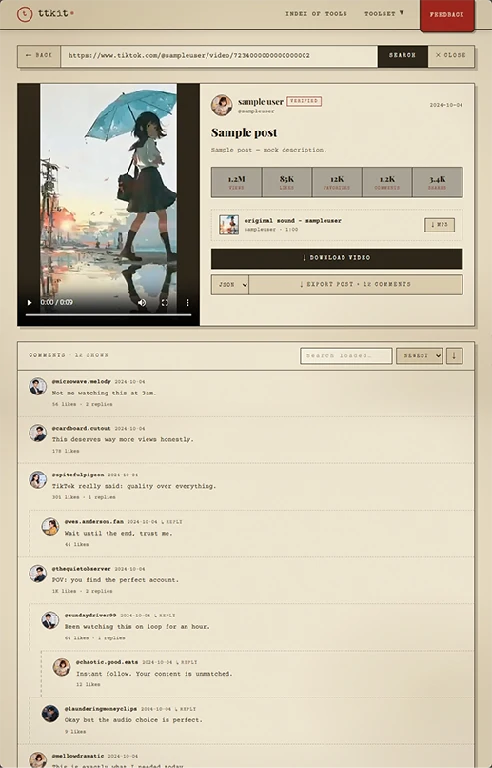
Three tools to find what matters before you export.
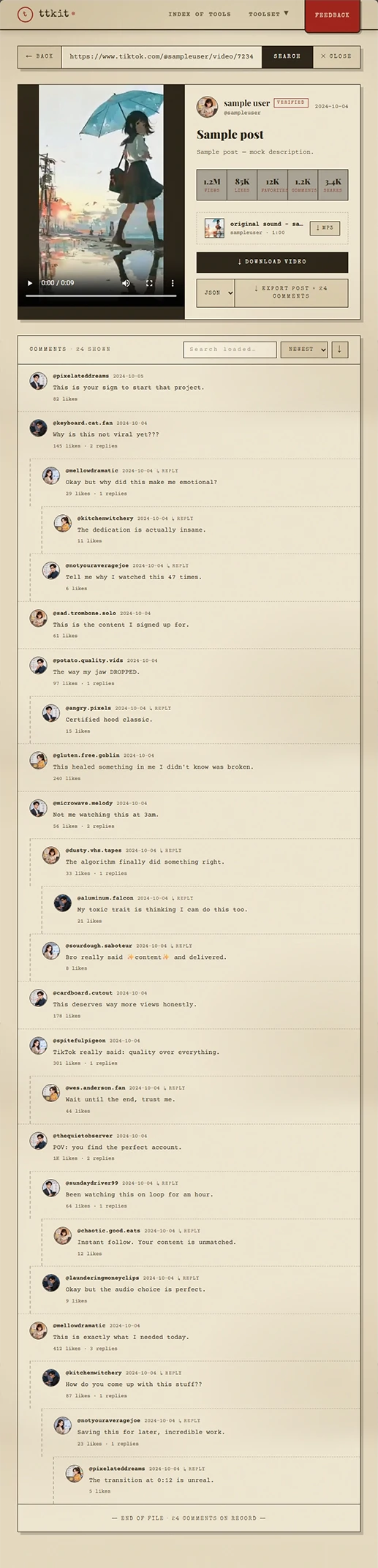
Comments and replies are laid out clearly, with each commenter's public username and profile picture. Text is easy to select and copy.
Looking for a question, a keyword or one person's comment? Type it in. Results narrow down as you type.
Sort by likes to see the top comments, by replies to find what sparked a discussion, or by time to read from newest to oldest or the other way round. Flip between ascending and descending any time.
Most gaps come from the video, not the tool. Check these first:
If nothing shows, you'll see: No comments to show. Comments may be turned off, or the video has none yet. With nothing loaded, there is nothing to export.
The app has no way to export comments. This page does. Load the comments you want, then save them as a file in one tap.
Tap Export CSV and the comments you've loaded download as a CSV file. Use it for notes, reports, client updates or your own analysis.
The exported CSV opens in Excel and Google Sheets, so you can filter, count and chart it right away. The file is UTF-8 encoded, so emoji and other languages are saved as written.
Replies are exported too, as their own rows with reply level information, so each thread can be followed. You don't have to expand every thread first.
No video link? Enter a username, pick one of the creator's public videos, open its comments and export them the same way.
Exporting happens outside your TikTok account. It's free, needs no login, and no one is notified.
Popular videos can have thousands of comments. Load what you need — what you see is what you export.
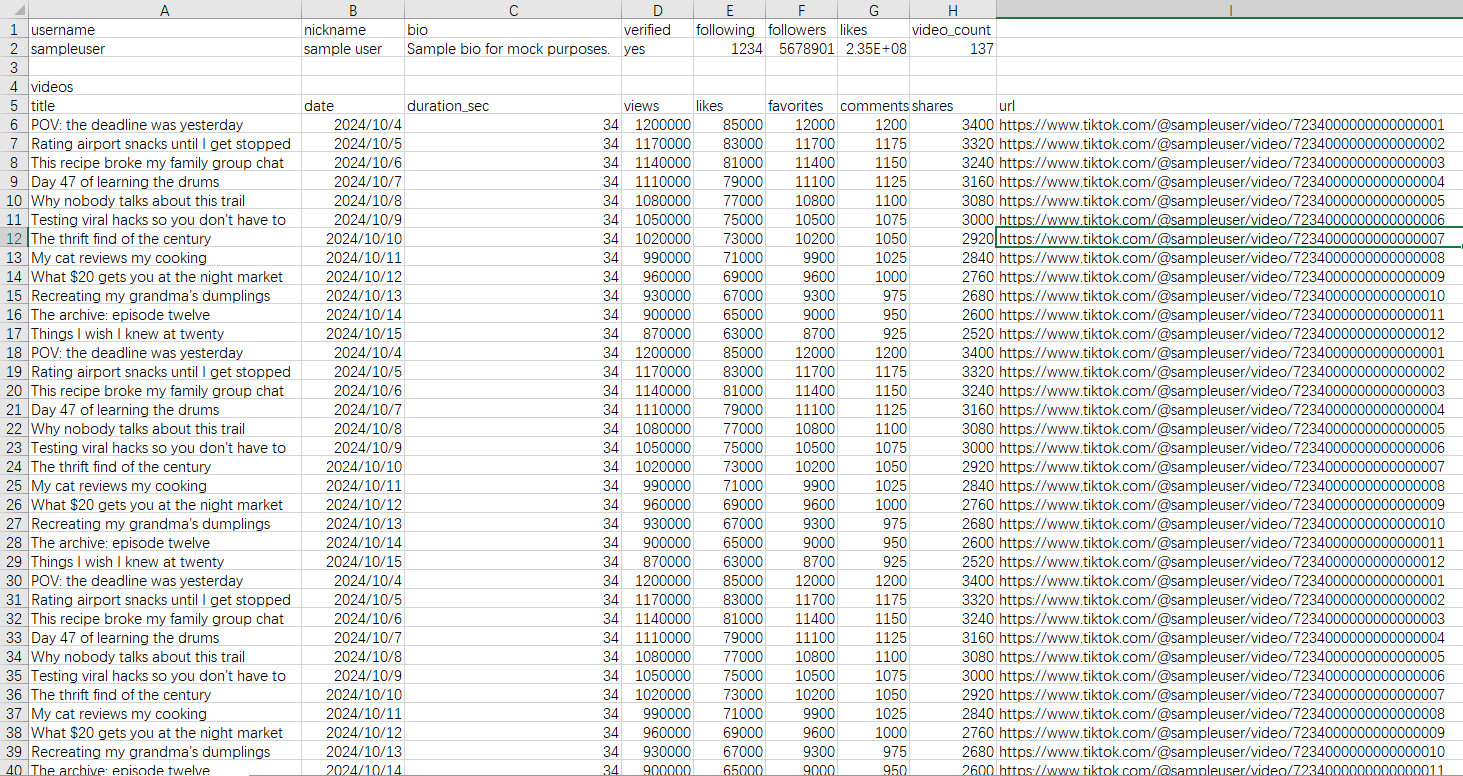
| Field | What it holds |
|---|---|
| Comment text | The comment as written, including emoji |
| Username | The commenter's public username |
| Likes | The like count at the time you loaded it |
| Replies | The reply count, with reply level information so you can follow each thread |
| Time | When the comment was posted |
Exported comments and replies are in the order they were posted, so a reply always comes after the comment it answers and conversations stay in sequence.
Public comments only. Only comments on public videos can be viewed or exported.
Comments belong to their authors. Respect their privacy when you export, analyze or share them, and follow the data protection rules that apply to you.
Not for harassment. Don't use this tool to target, track down or pressure individuals.
Nobody is notified. Viewing, searching and exporting happen outside your TikTok account. The commenters and the video's creator aren't told.
We don't keep your data. We don't store the links, usernames, search terms or comments you view, and exported files aren't kept on our servers.
Four steps, on phone or desktop.
In the TikTok app, open the video, tap Share, then Copy Link, and paste it into the box above. No link? Type the @username instead.
With a link, the comments open right away. With a username, you'll see the creator's public videos. Pick the one you want to export.
Tap Load more until you have the comments you need. Search by text or username and sort by likes, replies or time to check you have the right ones.
Tap Export CSV. The file includes every comment you've loaded, in the order they were posted. Open it in Excel or Google Sheets.
People read and export TikTok comments for many reasons. These are the most common.

Your video took off and the comments are endless. Sort by likes to see what resonates, search for questions people keep asking, and export the comments to plan your next video.

See how people react to a campaign or a creator partnership. Export the TikTok comments to CSV to share with your team or add to a report.

Export comments for sentiment, discourse or audience studies. A structured CSV with time and reply levels gives you something to work with in Excel or your own tools.

Find the reactions to a video, search for key terms and export a record of what was said.

Comments can be edited out, deleted or turned off. If you need to keep what was said on a video, export the comments before they change.

You remember a phrase, or who said it. Search TikTok comments by text or username and jump straight to it.

Check who commented on a post and what they wrote, then export the list to a spreadsheet. Follow the platform's rules and your local rules for any giveaway.

You're on a computer and don't want to scroll on a small screen. Open this TikTok comment viewer in any browser, read at your own pace and export what you need.
These tools work the same way: paste a link or username, get the result, no login.
See an account's bio, stats and videos, export the video list to CSV and download the profile picture. For comments on a single video, use this page.
Download a video as an MP4 without a watermark.
Save a video's audio as MP3, M4A or WAV.
Watch an account's current public Stories anonymously, and download them before they expire.
Open a public account's Highlights in your browser, and download the ones you want.
Paste a link or enter a username. Load the comments, search and sort them, and export what you see as CSV. Free, no login.
A TikTok comment viewer is a web tool that lets you read, search and sort the comments on a public TikTok video without logging in or using the app. ttkit's comment viewer can also export the comments you've loaded as a CSV file.
Paste the video link into the box above, tap View Comments, tap Load more until you have the comments you need, then tap Export CSV. The file downloads to your device.
Yes. Export the loaded comments as a CSV file, which opens in Excel and Google Sheets.
Yes. Replies are exported as their own rows, with reply level information, and each reply comes after the comment it answers.
Yes. Enter a username, pick one of the creator's public videos, open its comments and tap Export CSV.
The export includes every comment you've loaded. A counter shows how many that is. Tap Load more to bring in more, then export again, and the file grows with them.
No. The export includes every loaded comment, whatever sort or search you're using.
Comment text, username, likes, replies (with reply level information) and time. Comments are exported in the order they were posted, so a reply always comes after the comment it answers. The file is UTF-8 encoded. Profile pictures aren't included.
Yes. Reading, searching, sorting and exporting are free, with no login.
No. Viewing and exporting happen outside your TikTok account, so no one is notified.
Copy the video link from the TikTok app, paste it into the box above and tap View Comments. The comments open in your browser. No login needed.
Yes. Search by comment text or by username. Search works on the comments you've loaded, so tap Load more to bring in more.
Sort by likes, replies or time. Each can run ascending or descending.
Yes. Replies are shown with their comments. You don't have to expand each thread.
Yes. Comment text on the page can be selected and copied. To save many comments at once, use Export CSV.
No. This tool lets you read, search, sort and export the comments of a public video you choose, a page at a time. It isn't built for bulk collection of personal data.
No. The TikTok comment viewer works in any modern browser. We never ask for your TikTok password. If a site asks you to log in with TikTok to see or export public comments, close it.
No. We don't store the links, usernames, search terms or comments you view, and exported files aren't kept on our servers.
No. Only public videos are supported. Be careful with sites that claim otherwise. Many are scams or try to collect your login.
Comments may be turned off, the video may have none yet, or it may be private or deleted. Check the link and try again. Deleted comments can't be retrieved or exported.
Comments belong to the people who wrote them. Respect their privacy, follow the data protection rules that apply to you, and don't use the data to harass or target anyone.
No. ttkit is independent and isn't affiliated with TikTok. It only works with content that is already publicly available.