TikTok to MP3 Converter: Save TikTok Audio in High Quality
Use this free online TikTok to MP3 converter to turn any public video into an audio file. Paste a TikTok video link and save the audio as MP3, M4A or WAV. Don't have a link? Enter a username and pick a video from their public videos. Files are named after the video title and come with the video cover as cover art. No login, no app, no extension.
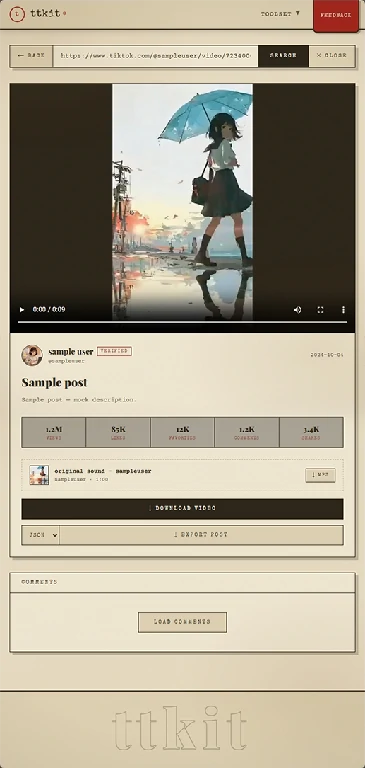
(MP3 audio, one click)
Two Ways to Convert TikTok to MP3
Use whichever you have. Both lead to the same video list and the same audio file.
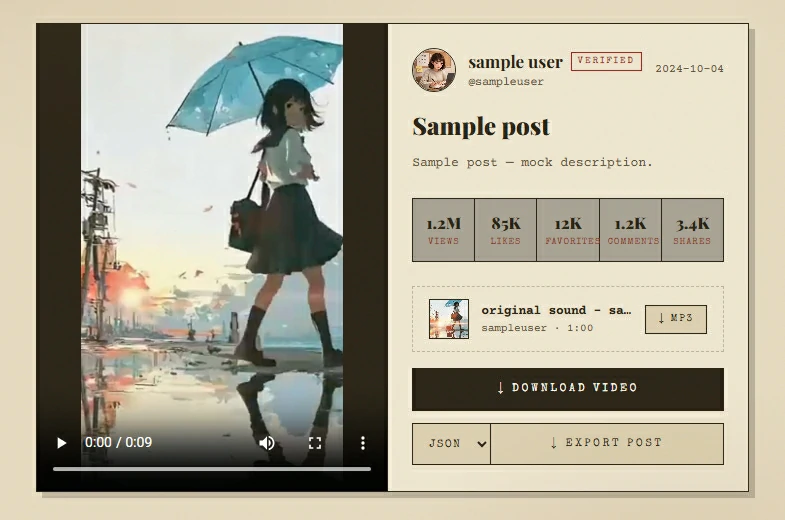
Paste the link
You get: The audio, ready to save, plus the creator's other public videos
Enter @username
You get: The creator's public videos, ready to pick from
When a Video Won't Convert
Most failures come from the link or the video, not the tool. Check these first:
- The link is incomplete. Copy it again from the app using Share, then Copy Link.
- The video was deleted or made private. Only public videos are supported.
- A temporary problem. Wait a minute and try again.
If a video still can't be processed, you'll see: This video can't be retrieved right now. It may have been deleted, set to private, restricted, or temporarily unavailable.
What You Get
A good audio downloader is judged by the file it gives you. Here's what comes out.
Best for: Everyday listening, any phone, player or editing app
Works almost everywhere. The safest choice
Best for: iPhone, Apple Music apps and other Apple devices
Small files, plays natively on Apple devices
Best for: Video and audio editing projects
Larger files. It keeps the sound as extracted and doesn't make it better than the source
The Full Audio Track
Converting a TikTok video to MP3 gives you the complete audio from the video, in high quality. That includes music, voice, sound effects and any sped-up, slowed or remixed version used in the video.
Named and Ready to Find
Files are named after the video title, not a string of numbers. The video cover is added as cover art, so a song or clip is easy to recognize in your music app.
More From the Same Creator
After you paste a link, open the creator's profile from the result and browse their other public videos. Pick one and save its audio. No need to go back to the app for another link.
Sort by What Matters
In a creator's video list, sort by views, likes or comments to find the standout sounds quickly.
Need the Video Too?
Every video in the list also has a "Get video" option, which opens our TikTok Video Downloader for the MP4 without a watermark.
How to Convert TikTok to MP3
Three steps, a few seconds, on phone or desktop.
Paste a Link or Enter a Username
In the TikTok app, open the video, tap Share, then Copy Link, and paste it into the box above. No link? Type the @username instead.
Choose the Video
With a link, your video is ready right away. With a username, you'll see the creator's public videos. Sort the list if you need to, then pick the one you want.
Pick a Format and Save
Tap Get Audio, then choose MP3, M4A or WAV in the window that opens. The audio file goes to your browser's download list.
Where Your Audio File Goes
The most common question after "does it work" is "where did it go?" The file goes to your browser's download list.
On iPhone
Open your browser's download list to find the file. M4A plays directly in Apple's music apps. From the download list you can also use the share menu to send it on.
On Android
Open the download list in your browser, or check your Downloads folder. MP3 works with every music app.
On a Computer
The file appears in your browser's download list and in your Downloads folder.
Who Uses This TikTok to MP3 Converter
People save TikTok audio for many reasons. These are the most common.

Keeping a Song You Can't Find
A sound is stuck in your head and it isn't on your streaming app, or only the sped-up version is on TikTok. Save it and listen anywhere, offline.
Video Creators and Editors
Pull a sound into your editing project. WAV is there for workflows that prefer it. Check the rights before you publish.

Music Makers and DJs
Save a clip for reference, inspiration or a demo.

Learners and Researchers
Keep a talk, interview, lesson or pronunciation clip to replay and take notes from.

Podcast-Style Listeners
Turn short videos into audio you can play on a commute, a run or before bed, without watching the screen.
Your Own Videos
You posted a video and no longer have the original sound file. Enter your own username, find the video and convert it to MP3 again.

Anyone Without the App
You got a link on a computer and don't want to install anything. Open this page in any browser and save the audio.
More TikTok Tools From ttkit
These tools work the same way: paste a link or username, get the result, no login.
TikTok Video Downloader
Download the full video as an MP4 without a watermark.
TikTok Story Viewer
Watch an account's current public Stories anonymously, and download them before they expire.
TikTok Highlights Viewer
Open a public account's Highlights in your browser, and download the ones you want.
TikTok Profile Viewer
See an account's bio, stats and recent videos, export the video list to CSV and download the profile picture.
TikTok Comment Viewer
Read, search and sort a video's comments, and export them to CSV.
Convert TikTok to MP3 Now
Paste a link or enter a username. Choose MP3, M4A or WAV and get high-quality audio, named and ready to play. Free, no login.
FAQ
What is a TikTok to MP3 converter?
A TikTok to MP3 converter is a web tool that extracts the audio from a public TikTok video and saves it as an audio file, without logging in or installing an app. ttkit's converter also offers M4A and WAV, and lets you pick videos from a creator's profile.
How do I convert TikTok to MP3?
Copy the video link from the TikTok app, paste it into the box above, tap Get Audio and choose MP3.
Can I convert a TikTok video to MP3 with just a username?
Yes. Enter a username and you'll see their public videos. Pick one and choose a format.
I only have one video link. Can I see more from the same creator?
Yes. Open the creator's profile from the result to browse their other public videos, then save the audio of the ones you want.
Which format should I choose: MP3, M4A or WAV?
Choose MP3 if you're not sure. It works everywhere. M4A is a good fit for iPhone and Apple music apps. WAV is for editing projects and makes larger files.
Is the audio high quality?
Yes. You get the audio from the original video in high quality. A video's sound can only be as good as what was uploaded, and WAV doesn't improve it.
Do I get the full song?
No. You get the audio of the video you choose, which may be a short clip or a modified version of a song. We don't identify songs or provide full tracks.
How do I find the name of a song in a TikTok video?
Open the video in TikTok and look at the sound name at the bottom of the screen. This tool saves audio; it doesn't recognize songs.
What will the file be called?
It's named after the video title. The video cover is added as cover art, so it's easy to recognize in your music app.
Can I download the video as well?
Yes. Use our TikTok Video Downloader to get the MP4 without a watermark.
Do I need to log in or install anything?
No. You don't need a TikTok account, an app or an extension. We never ask for your TikTok password. If a site asks you to log in with TikTok to convert a public video, close it.
Can I convert TikTok to MP3 without the app?
Yes. The converter runs in any modern browser on phone, tablet or computer. Paste the link or enter a username and save the audio.
Is this TikTok to MP3 converter safe?
It runs in your browser, with no login, no app and no extension. We don't store the links or usernames you enter, and files aren't kept on our servers.
Is it free?
Yes. It's free to use, with no login.
Where do saved files go?
To your browser's download list. Open it to find the file. On computers it's also in your Downloads folder.
Will the creator know I saved their audio?
No. Saving happens outside your TikTok account, so the creator isn't notified.
Can I get audio from a private account?
No. Only public videos are supported. Be careful with sites that claim otherwise. Many are scams or try to collect your login.
Why did my conversion fail?
Usually the link is incomplete, the video was deleted or made private, or there was a temporary problem. Copy the link again from the app and retry.
Is this legal and affiliated with TikTok?
ttkit is independent and isn't affiliated with TikTok. It only works with content that is already publicly available. Audio is for personal use only. Music and sounds are protected by copyright, so check the rights before you reuse or repost them.