TikTok Story Viewer & Downloader: Watch Public Stories Anonymously
Use this free online TikTok story viewer to watch an account's current public Stories by username, then download or save them before they expire. No account, no password, no app to install, and no trace in your own TikTok account.
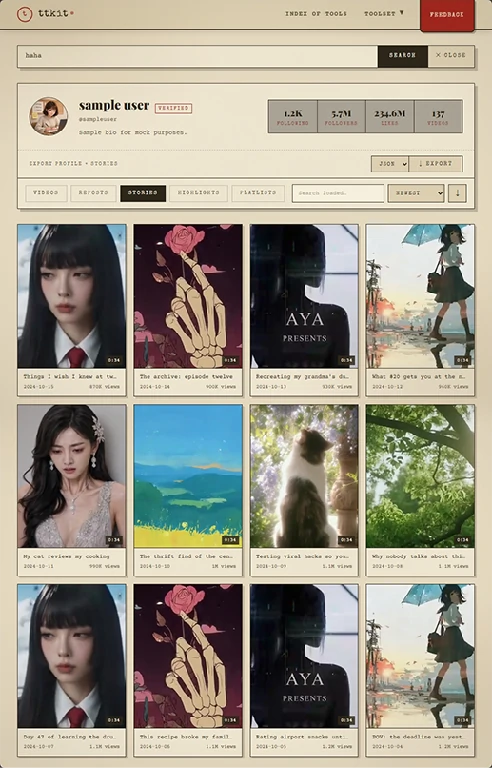
(Stories tab, no login)
What You Can See With a TikTok Story Viewer
TikTok Stories disappear after 24 hours, so speed matters. Search any public account and you'll see every Story they currently have up, played in order, with a button to download each one.
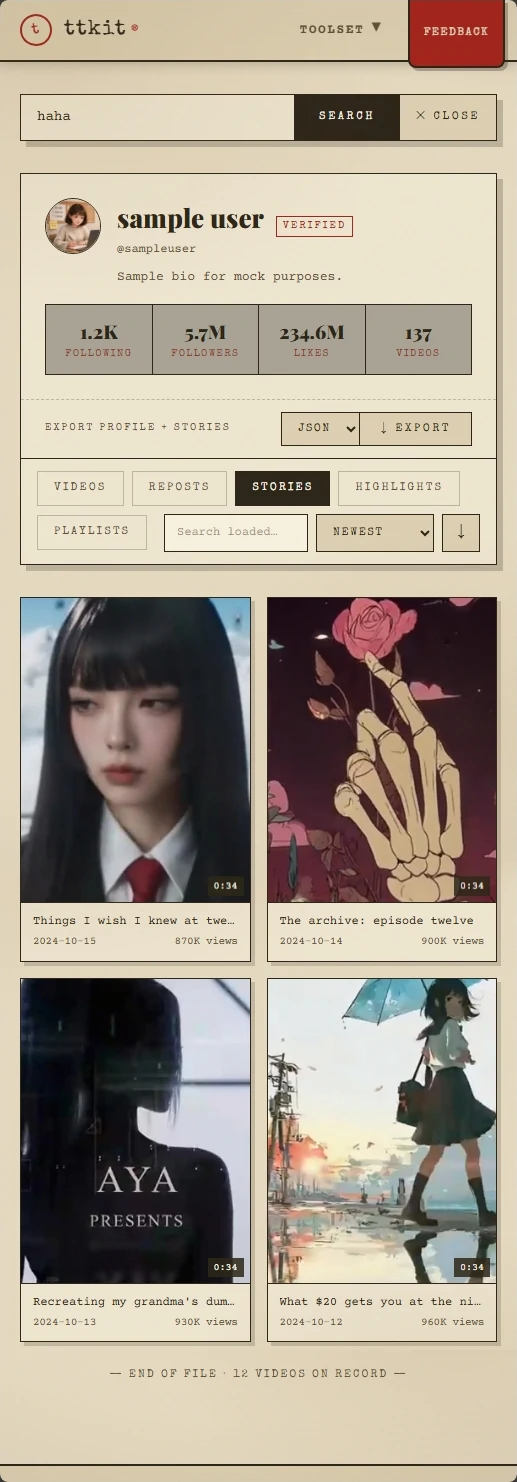
Every Current Story, Played in Order
You don't get just the first clip. All of the account's active public Stories load in sequence, so you can watch the whole run from start to finish, the way the creator posted it.
Videos and Photos
Both formats are supported. Video Stories play with sound, and photo Stories show at full size, without the cropped, cramped layout of the app.
Posting Time and Time Left
Each Story shows when it was posted and roughly how long it has before it expires. That helps you decide quickly whether it's worth saving.
Why Can't I See Any TikTok Stories?
This is the most common question, and the answer is almost never "the tool is broken." There are three usual reasons:
- The account has no active Story. Stories vanish after 24 hours. If the creator hasn't posted today, there's nothing to show. Check back later.
- The account is private. Only public accounts are supported. Private content is visible only to approved followers, and no legitimate tool can bypass that.
- The creator limited who can see the Story. Some Stories are shared with selected people only. Those can't be retrieved here.
If none of these fit, check the spelling of the username and try again. Usernames can include underscores and periods, and look-alike characters are easy to mistype.
View TikTok Stories Anonymously: Why They Won't Know
Most people come to a TikTok story viewer with one worry: will they see that I looked? The answer is no, and it isn't a promise about settings. It follows from how the tool works.
A Story's viewer list only records logged-in TikTok accounts. You're not logged in, so there is nothing to record. No account of yours ever opens their Story. That single fact leads to everything below.
You Won't Appear in Their Viewer List
The list the creator sees is built from accounts that opened the Story. Since no account of yours did, your name, photo and username never show up. You can watch a TikTok Story without them knowing.
Nothing Is Added to Your Account
Your watch history, search history and activity log only record what your account does. Because your account isn't used here, none of them change.
Your For You Feed Stays the Same
TikTok learns from what you watch and search. Checking a competitor's or a creator's Stories from your own account can nudge your feed for weeks. Watching them with this TikTok story viewer happens outside your account, so your recommendations stay as they were.
We Don't Keep Your Searches
No password, no extension, no install. We don't ask you to connect an account, and we don't store a list of the profiles you look up.
Tip: if you open the account on TikTok itself while logged in, that counts as activity on your account. Use the in-page player instead.
Download and Save TikTok Stories Before They Expire
A Story you want to remember is gone in 24 hours. Once it expires on TikTok, it can't be retrieved, so saving a copy in time is the only way to keep it for your own reference.
Download TikTok Stories in Original Quality
Tap the download button under any Story to get it as a video or image file, in its original quality. The TikTok story downloader works on every Story the viewer can show.
Save TikTok Stories to Your Phone or Computer
Saved Stories go straight to your device. On iPhone, the file goes to your browser's downloads, and you can save it to Photos from the share menu. On Android and desktop, it goes to your Downloads folder.
Saving Is Anonymous Too
Saving happens outside TikTok and outside your account. The creator isn't notified, and your name isn't recorded anywhere.
Who Uses This TikTok Story Viewer
People use a TikTok story viewer for very different reasons. These are the most common ones, and what each person actually ends up doing.

Don't Have the App
A friend sent you a username, or you only use TikTok once in a while. You don't want to install an app or sign up just to watch one Story. Open this page in any browser, enter the username and watch. It works the same on a phone, a tablet or a work computer.

Taking a Quick Look
You're curious about a public account, such as a creator, a brand or an old acquaintance. You don't want to follow it, create a spare account or leave your name in a viewer list. Enter the username, watch Stories anonymously, and close the tab.

Creators and Social Media Managers
Study how peers and competitors use Stories: how often they post, what formats they try, how they open and close a sequence. Doing this from your work account can reshape your own feed and put your name in their viewer list. Doing it here does neither. Download the ones worth studying and compare them side by side.

Brands and Marketers
Before you sign a creator or approve a campaign, check what they've posted lately. Save a copy of the relevant Stories before they expire, so your review has something to refer back to.

Anyone Who Wants a Copy
Download the Story in time, for personal use only, and ask the creator before sharing it anywhere.
How the TikTok Story Viewer Works
Three steps, about ten seconds, on phone or desktop.
Copy the Username or Link
In the TikTok app, open the profile, tap Share, then Copy Link. Or type the @username if you already know it. Both work, with or without the @.
Paste It Into the Search Box
Paste it into the box at the top of this page and press View Stories. There's nothing to select or configure first.
Watch, Then Download or Save
Active Stories load and play in order. To keep one, tap the download button under it.
Tips for Better Results
- Stories expire after 24 hours. If something isn't there, it may already be gone.
- If the profile loads but there are no Stories, the account may simply not have posted today.
- If you want a copy, download it right away. Once a Story expires, it can't be retrieved.
- Search again later to catch new Stories as they're posted.
More TikTok Tools From ttkit
Often the next step after a Story is a closer look at the account. Each tool below has its own page and works the same way: paste a link, get the result, no login.
TikTok Profile Viewer
See an account's bio, stats and recent videos, sort by views, export to CSV and download the profile picture.
TikTok Highlights Viewer
Browse an account's Highlights, the Stories it keeps permanently, and download the ones you want.
TikTok Video Downloader
Download any public video in HD without a watermark.
TikTok to MP3
Extract the audio from a public video as MP3, M4A or WAV.
TikTok Comment Viewer
Read a video's comments in one place, search and sort them, and export to CSV.
Watch and Download TikTok Stories Now
Enter a username and watch their current public Stories in seconds, then download the ones you need. Free, no login, and your own account stays untouched.
FAQ
What is a TikTok story viewer?
A TikTok story viewer is a web tool that lets you watch an account's public Stories by username, without logging in or using the TikTok app. ttkit's story viewer also lets you download and save Stories before they expire.
Do I need to log in to watch TikTok Stories?
No. You don't need a TikTok account or any account with us, and we never ask for your TikTok password. If a site asks you to log in with TikTok to watch public Stories, close it.
How do I view a TikTok Story anonymously?
Paste the username or profile link into the search box and press View Stories. You're not logged in, so no account of yours opens the Story and nothing shows up in the creator's viewer list.
Will the person know I watched their Story?
No. A Story's viewer list records logged-in accounts. You aren't logged in, so there's nothing for the list to show.
How do I download or save a TikTok Story?
Paste the username or profile link into the search box and press View Stories. Then tap the download button under the Story you want, and the file is saved in its original quality. Do it before the Story expires, because it can't be retrieved afterward.
Will they know if I save their Story?
No. Saving happens outside TikTok and outside your account, so the creator isn't notified and your name isn't recorded anywhere.
Do I need the TikTok app to watch Stories?
No. This page runs in any modern browser, so you can watch public Stories without installing the app or creating an account.
How long do TikTok Stories last?
TikTok Stories last 24 hours. After that they're removed, which is why it's worth downloading the ones you want to keep while they're still active.
Can I watch a TikTok Story after it expires?
No. Once a Story expires on TikTok, it's removed and can't be retrieved. If you want to keep one, save it while it's still active.
Will this affect my TikTok recommendations?
No. TikTok builds recommendations from the activity of your account. Your account isn't used here, so watching a Story has no effect on your For You feed.
Will it show up in my TikTok history?
No. Nothing is added to your watch or search history, because everything happens outside the app and your account. The one exception is opening the account on TikTok itself while logged in. That's activity on your account, so use our in-page player if you want to stay out of your history.
Why does it say there are no Stories?
Usually one of three things: the account hasn't posted in the last 24 hours, the account is private, or the creator limited who can see the Story. It can also be a spelling mistake in the username. Copy the link directly from the app to avoid typos.
Can I watch Stories from a private account?
No. Only public accounts are supported. Private content is visible only to approved followers, and no legitimate tool can bypass that. Be careful with sites that say otherwise. Many are scams or try to collect your login.
Can I see who viewed my own Story?
Not here. This tool is for watching other people's public Stories, and it has no access to viewer lists. You can see who viewed your own Story inside the TikTok app, with your account.
What format and quality do saved Stories come in?
Video Stories come as MP4 files and photo Stories as image files, both in their original quality. Please use them for personal reference only and respect the creator's copyright.
Is it free? Are there limits?
Watching public Stories and downloading a copy are free. If you only need to look at a few Stories, you never need to pay.
Can I watch TikTok Stories on my computer, iPhone or Android?
Yes. The TikTok story viewer runs in any modern browser on phone, tablet or desktop. Nothing to install.
Do you store my searches?
No. We don't keep a history of the profiles you look up.
Is this legal and affiliated with TikTok?
ttkit is independent and isn't affiliated with TikTok. It only shows content that is already publicly available. Please respect creators' privacy and copyright, and don't use it for harassment, impersonation or reposting others' work without permission.