TikTok Highlights Viewer: Watch Public Highlights Without the App
Use this free online TikTok highlights viewer to open every public Highlight on an account, in order, right in your browser. Enter a username, watch anonymously, and download or save what you need. No app, no login, and no trace in your own TikTok account.
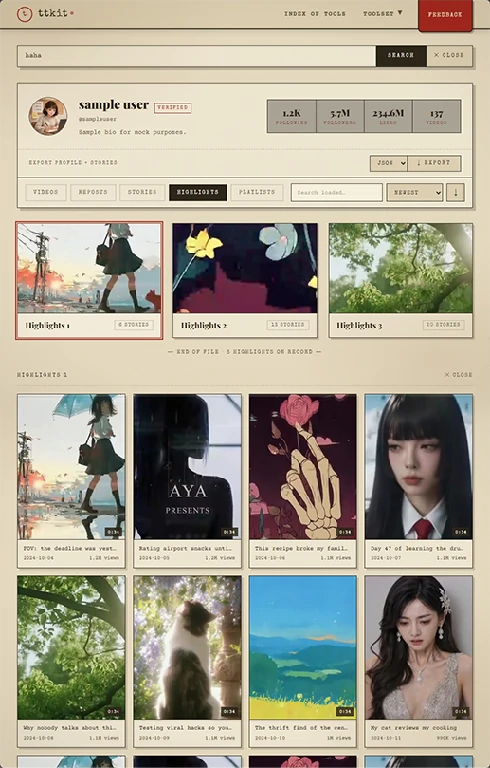
(Highlights tab, no login)
What You Can See With a TikTok Highlights Viewer
Search any public account and you'll see its Highlights laid out the way the creator arranged them, with each group playable from start to finish.
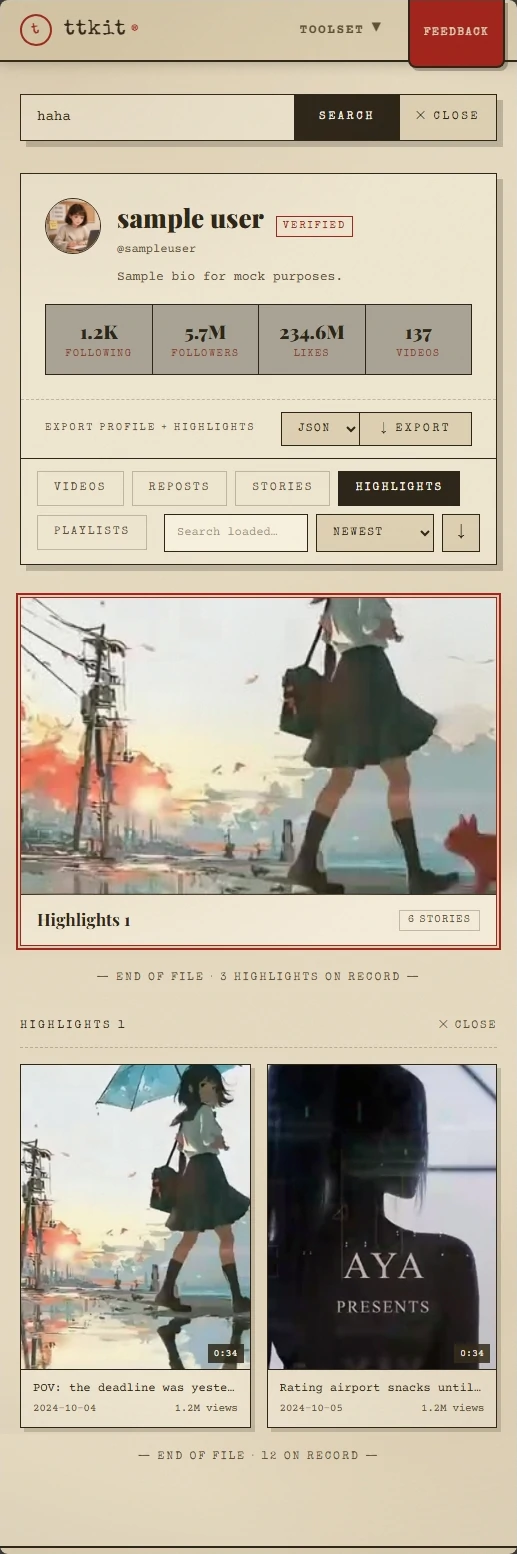
Every Highlight Group
Each Highlight appears with its name and cover, in the same order as on the profile. You pick a group and watch it, instead of tapping through the profile one by one.
Full Playback, in Order
All the clips inside a group load in sequence, videos with sound and photos at full size.
Why Can't I See Any TikTok Highlights?
Almost always, the account simply has nothing to show. The usual reasons:
- The account has no Highlights. Only the account owner can create them, from their own Story archive. If they never did, there's nothing to show.
- The account is private. Only public accounts are supported.
- The original Stories had limited visibility. A Highlight follows the visibility of the Story it came from. If the Story was private or shared with select people, the Highlight is too, and it can't be retrieved here.
- The creator changed or removed it. Creators can add, edit or delete Highlights whenever they like, so what you saw before may be gone.
- Temporary problem. Highlights can occasionally fail to load. Try again in a few minutes.
If none of these fit, check the spelling of the username. Usernames can include underscores and periods, and look-alike characters are easy to mistype.
Download and Save TikTok Highlights
Creators can edit or remove their Highlights at any time. If one matters to you, a copy is the only way to keep it.
Download TikTok Highlights in Original Quality
Tap the download button on a single clip or on the whole group. Videos come as video files and photos as image files, in their original quality. The TikTok highlights downloader works on every Highlight the viewer can show.
Save TikTok Highlights to Your Phone or Computer
Files go to your browser's Downloads folder. On iPhone, they go to the share menu, where you can save them to Photos.
Saving Is Anonymous Too
Saving happens outside TikTok and outside your account. The creator isn't notified.
Why Can't I See TikTok Highlights on the Website?
If you've opened a profile in a browser and found no Highlights, you didn't miss anything. TikTok's website doesn't display them. They only show up in the mobile app.
That leaves a lot of people stuck: no app on the device, no wish to install one, or a work computer where it isn't an option. This TikTok highlights viewer opens a public account's Highlights in any browser instead, so you can look without switching devices.
View TikTok Highlights Anonymously: Why They Won't Know
The short version: no account of yours is involved, so there is no name to record.
No account of yours is involved, so there is no name to record.
TikTok Doesn't List Who Viewed a Highlight
Creators can see how many times a Highlight was viewed. They can't see who viewed it. A viewer list exists only for Stories that are still live, and it disappears when the Story's 24 hours are up.
Nothing Is Added to Your Account
Your watch history, search history and activity log record what your account does. Your account isn't used here, so none of them change.
Your For You Feed Stays the Same
TikTok learns from what you watch and search. Looking at someone's Highlights from your own account can nudge your recommendations. Using this TikTok highlights viewer happens outside your account, so your feed stays as it was.
We Don't Keep Your Searches
No password, no extension, no install. We don't ask you to connect an account, and we don't store a list of the profiles you look up.
Tip: A Highlight can include a Story that's still within its first 24 hours. If you open that account in the TikTok app while logged in, that counts as activity on your account. Use the in-page player to keep your account out of it.
Who Uses This TikTok Highlights Viewer
People look at Highlights for different reasons. These are the most common.

Without the App
You got a username or link and want to see what's on the account. You don't want to install the app or sign up for one look. Open this page in any browser, enter the username and watch Highlights without an account.

Fans of a Public Figure
You like an artist, athlete or creator and want to see the posts they chose to keep. Watch their Highlights anonymously, without following them or reshaping your feed around them.

Creators and Social Media Managers
Highlights show how an account wants to be seen: which Stories it keeps, how it names and orders its groups, what it puts first. Study that from here without touching your work account's feed or history, and download the examples worth keeping.

Checking an Account Before Working With It
Before you sign a creator, approve a campaign or buy from a seller, look at what they've chosen to keep on their profile. It's a quick read on positioning and consistency.

Anyone Who Wants a Copy
Creators can edit or delete Highlights at any time. If one matters to you, save a copy for personal reference, and ask the creator before sharing it anywhere.
How the TikTok Highlights Viewer Works
Three steps, about ten seconds, on phone or desktop.
Copy the Username or Link
In the TikTok app, open the profile, tap Share, then Copy Link. Or type the @username if you know it. Both work, with or without the @.
Paste It Into the Search Box
Paste it into the box at the top of this page and press View Highlights.
Pick a Group, Watch, Then Download or Save
Highlights load as groups, with names and covers. Open one to play it in order. To keep a clip or the whole group, tap the download button.
Tips for Better Results
- If the profile loads but shows no Highlights, the account may not have created any.
- Highlights can occasionally fail to load. Wait a few minutes and search again.
- Copy the link from the app to avoid typos in the username.
More TikTok Tools From ttkit
Highlights are the creator's long-term picks. For what they posted in the last 24 hours, or a closer look at the account, these pages work the same way: paste a link, get the result, no login.
TikTok Story Viewer
Watch an account's current Stories anonymously, and download them before they expire.
TikTok Profile Viewer
See an account's bio, stats and recent videos, sort by views, export to CSV and download the profile picture.
TikTok Video Downloader
Download any public video in HD without a watermark.
TikTok to MP3
Extract the audio from a public video as MP3, M4A or WAV.
TikTok Comment Viewer
Read a video's comments in one place, search and sort them, and export to CSV.
View and Download TikTok Highlights Now
Enter a username and open their Highlights in your browser in seconds, then download the ones you need. Free, no login, no app, and your own account stays untouched.
FAQ
What is a TikTok highlights viewer?
A TikTok highlights viewer is a web tool that lets you watch a public account's Highlights by username, without logging in or using the TikTok app. ttkit's highlights viewer also lets you download and save them.
What are TikTok Highlights?
Highlights are Stories a creator saves to their profile, grouped under a name and cover, so they stay visible after 24 hours.
Where are TikTok Highlights?
On the creator's profile in the TikTok mobile app, as groups with covers. TikTok's website doesn't display them, which is why they can look missing on a computer. This page opens them in any browser.
Do I need to log in or install the app?
No. You don't need a TikTok account or any account with us, and we never ask for your TikTok password. If a site asks you to log in with TikTok to view public Highlights, close it.
How do I view TikTok Highlights anonymously?
Paste the username or profile link into the search box and press View Highlights. No account of yours is involved, so there's no name to record.
Will the person know I viewed their Highlights?
No. TikTok doesn't show creators who viewed a Highlight, only a total view count. No account of yours is involved here.
Does viewing change the view count?
Creators see a total view count for each Highlight, and it has no names attached. We can't promise a view here is excluded from that number, but it can never be traced to you.
How do I download or save a TikTok Highlight?
Search the account, open a Highlight group, then tap the download button on a single clip or on the whole group. Files keep their original quality.
What format and quality do saved Highlights come in?
Videos come as MP4 files and photos as image files, in their original quality. Please use them for personal reference only and respect the creator's copyright.
What's the difference between Stories and Highlights?
Stories disappear after 24 hours. A Highlight is a collection the creator picks from their Story archive, names, gives a cover and pins to their profile. It no longer expires, and the creator can edit or delete it at any time.
Do TikTok Highlights expire?
No. They stay on the profile until the creator removes them. Once removed, they can't be retrieved.
Will this affect my TikTok recommendations or history?
No. Your account isn't used here, so nothing is added to your watch or search history, and your For You feed isn't affected. The one exception is opening the account in the TikTok app while logged in, which is activity on your account.
Can I see Highlights from a private account?
No. Only public accounts are supported. A Highlight follows the visibility of its original Story, so private content stays private. Be careful with sites that claim otherwise. Many are scams or try to collect your login.
Why does it say there are no Highlights?
Usually the account hasn't created any, the account is private, the original Stories had limited visibility, or the creator removed them. It can also be a typo in the username, or a temporary loading problem.
Is it free? Are there limits?
Viewing public Highlights and downloading a copy are free. If you only need to look at a few accounts, you never need to pay.
Does it work on iPhone, Android and computers?
Yes. The TikTok highlights viewer runs in any modern browser on phone, tablet or desktop. Nothing to install.
Do you store my searches?
No. We don't keep a history of the profiles you look up.
Is this legal and affiliated with TikTok?
ttkit is independent and isn't affiliated with TikTok. It only shows content that is already publicly available. Please respect creators' privacy and copyright, and don't use it for harassment, impersonation or reposting others' work without permission.